A connected care journey, from booking and queue visibility to practice work and shared records.
Selected work - 03 / University team project
Impelo
Project overview
Impelo is a university team project exploring a healthcare queue and patient records platform. The product joins a Vue and TypeScript portal to a SlimPHP API, with different workspaces for patients, practice staff and administrators. I contributed to the frontend and backend implementation, and built the separate public website prototype.
Technologies used
 TypeScript
 Vue.js
 PHP
 SlimPHP
 MySQL
( 01 ) - The challenge
One visit crosses several people and systems.
A patient may book ahead, arrive and join a queue, then need a clinician to see the relevant history. Reception manages arrivals; doctors and nurses manage care; social workers follow up over time. Keeping those steps separate makes it harder to see what is happening. Impelo explores how one shared platform can give each person the right view of the same journey.
The difficult part is access. Clinical information can be useful across practices, but a staff member's role, practice membership and the patient's consent affect what may be shown. The interface and API therefore have to agree on both the workflow and its boundaries.
( 02 ) - Platform flow
The interface stays close to the person. The rules stay close to the data.
A route presents the right workspace, a store and service manage the request, and the Slim API applies the domain rules before reading or changing shared data. That structure let the team develop features across the frontend and backend repositories.
Role-Specific Vue Views
Patient, reception, clinical, social work and administration routes.
State & Typed Services
Pinia stores and service modules manage requests, loading and errors.
SlimPHP API
HTTP actions call domain rules and check access to shared resources.
MySQL Records
Repositories persist the data used across practices and roles.
( 03 ) - Visit journey
From a booking request to a completed visit.
This example follows one of the flows documented in the project. Booking approval is conditional: some doctors confirm requests before a slot becomes final. Once the patient checks in, the same visit connects the patient queue, staff actions and appointment status.
- 01PatientRequest or booking
Choose a visit
Select a practice, doctor and open slot in the portal.
- 02Doctor & patient, if neededBooked appointment
Confirm a time
With approval enabled, the doctor accepts or proposes a time; the patient can accept a proposal.
- 03Patient or receptionWaiting in queue
Check in
The patient checks in, or reception assists at the practice desk.
- 04Practice staffCalled · in progress · done
Run the queue
Staff call the patient, start the visit and mark it complete.
- 05Shared platformVisit complete
Reflect the result
The queue and appointment remain linked, so completion updates the visit status.
( 04 ) - Patient experience
A visit that patients can follow.
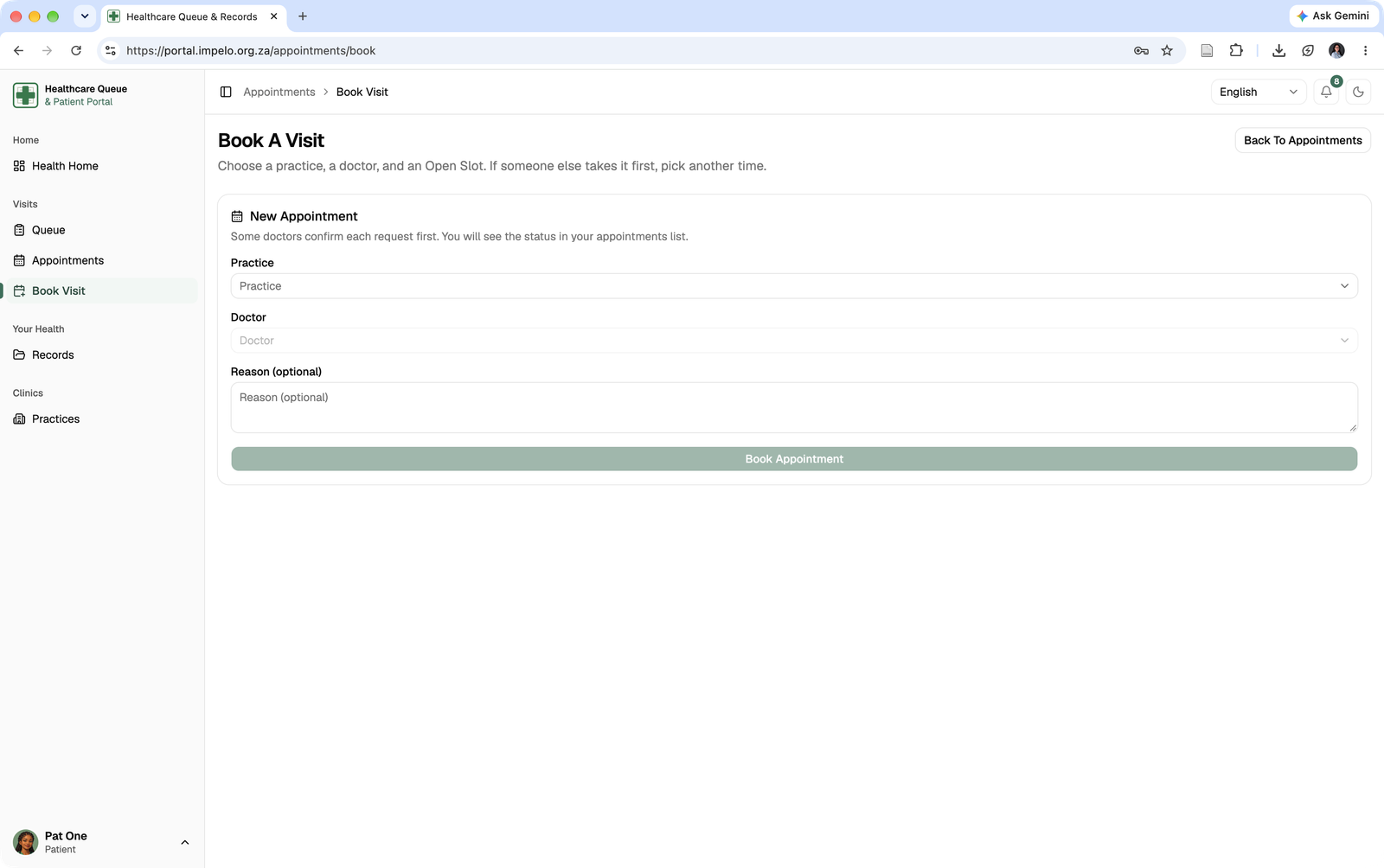
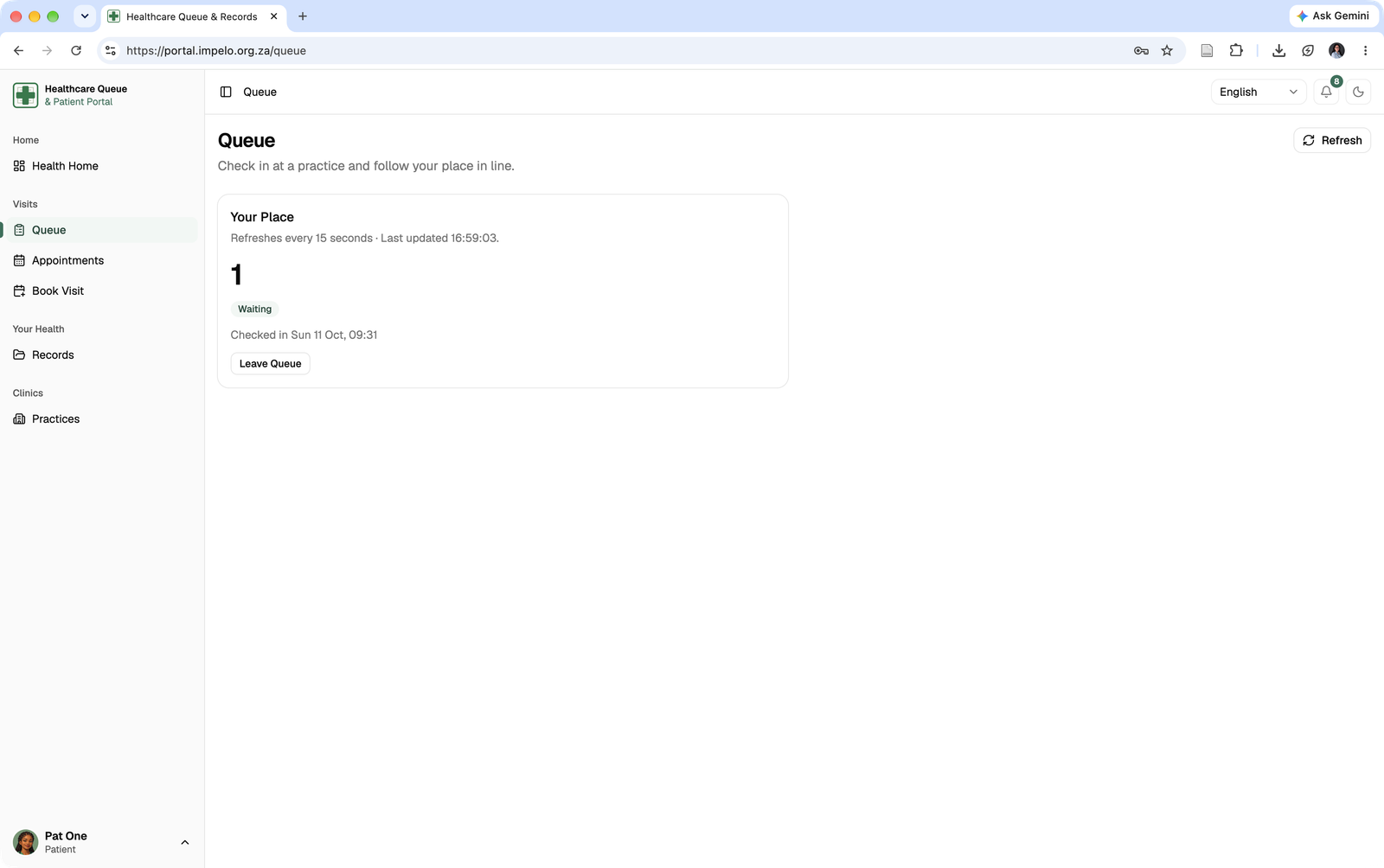
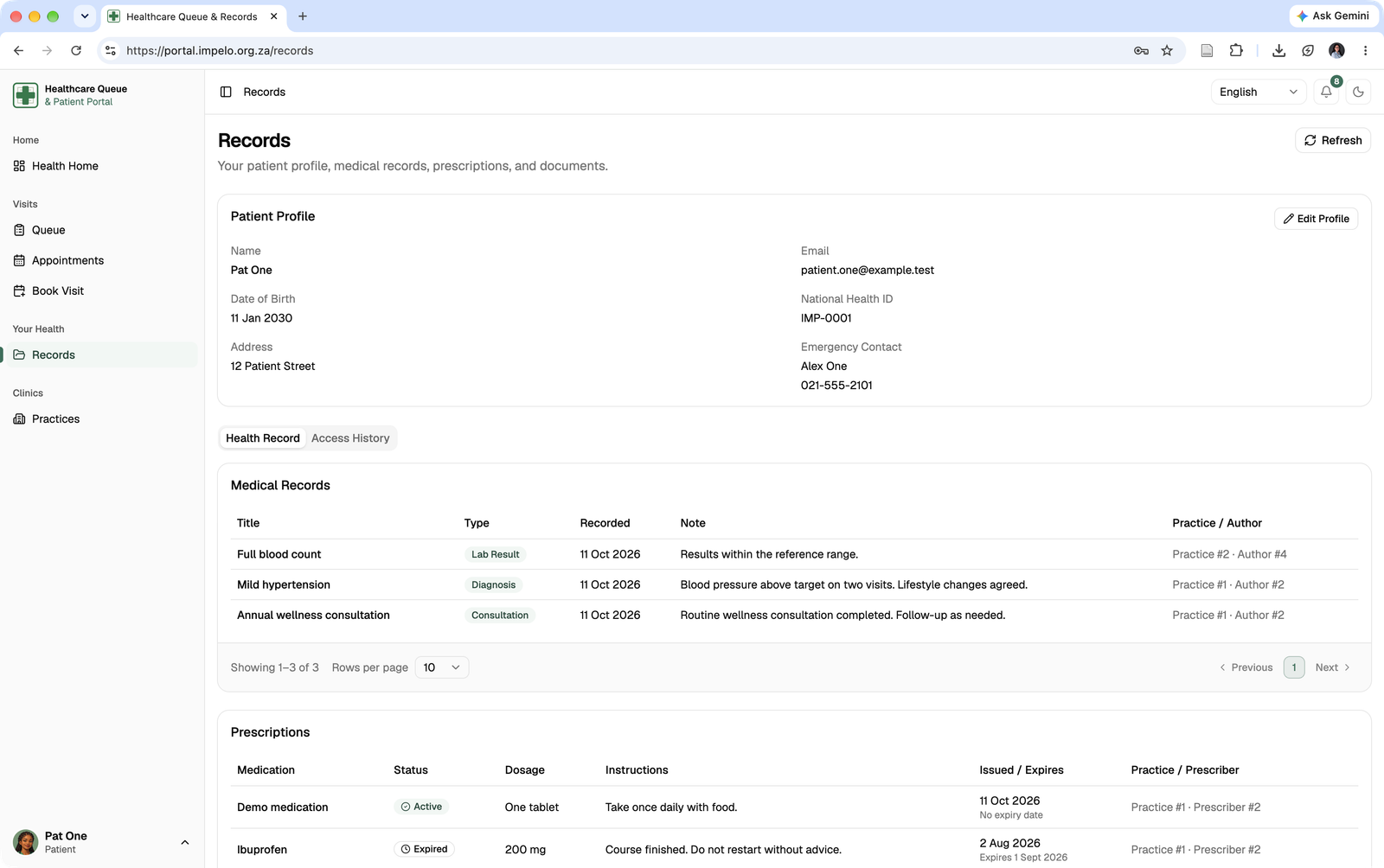
The patient portal brings three moments together: requesting an appointment, checking a live queue position and finding personal records. A patient can see the status of a visit without needing to understand the separate systems behind it.
 Open full-size screenshot ↗
A patient chooses a practice, doctor and open slot. The interface explains when a request still needs a doctor’s approval.
 Open full-size screenshot ↗
The queue view keeps position and check-in status visible after arrival; the frontend refreshes the status while the page is active.
 Open full-size screenshot ↗
The patient view collects their profile, medical records, prescriptions and access history in one place.
( 05 ) - Practice workflows
Each staff role sees the work it needs to do.
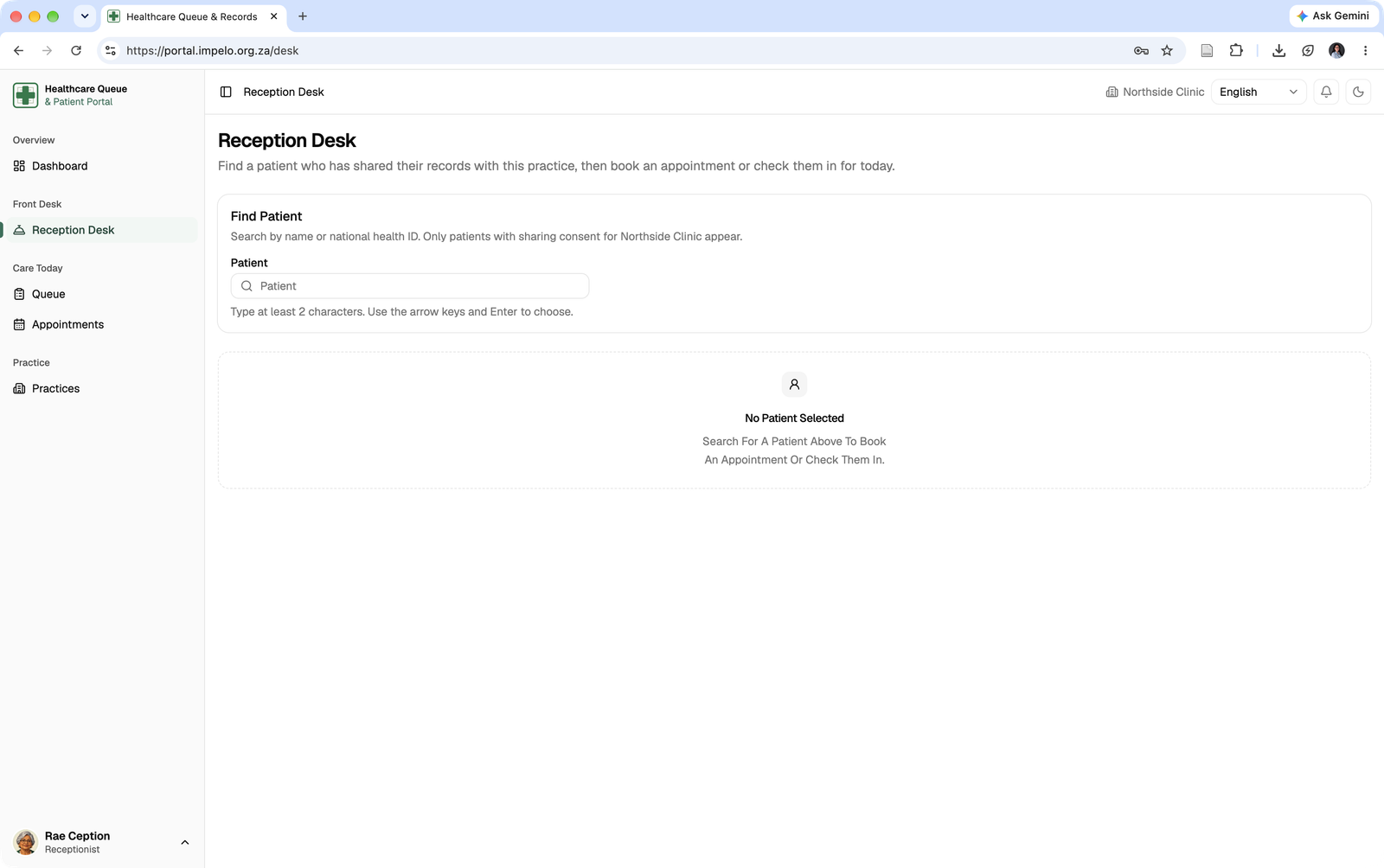
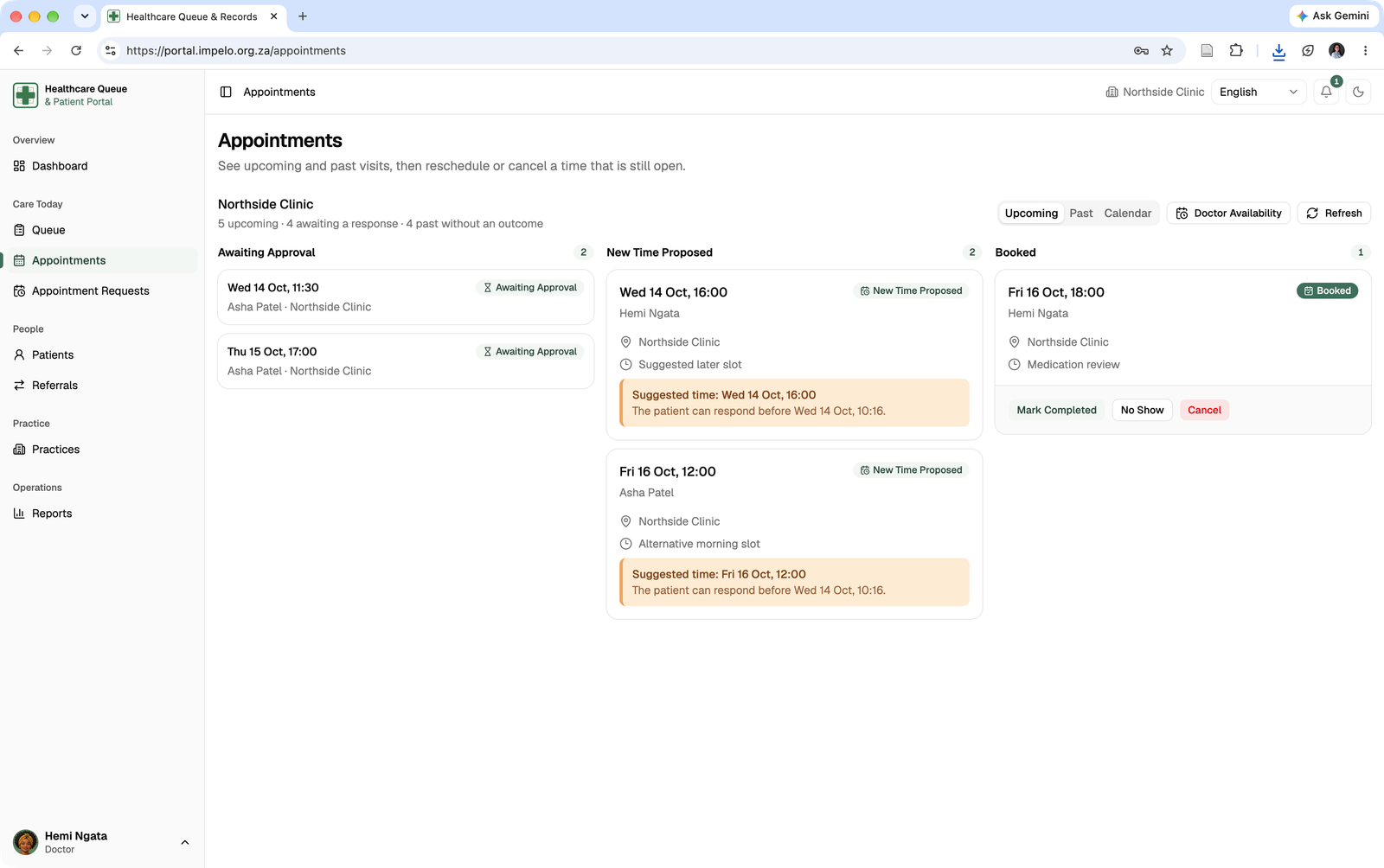
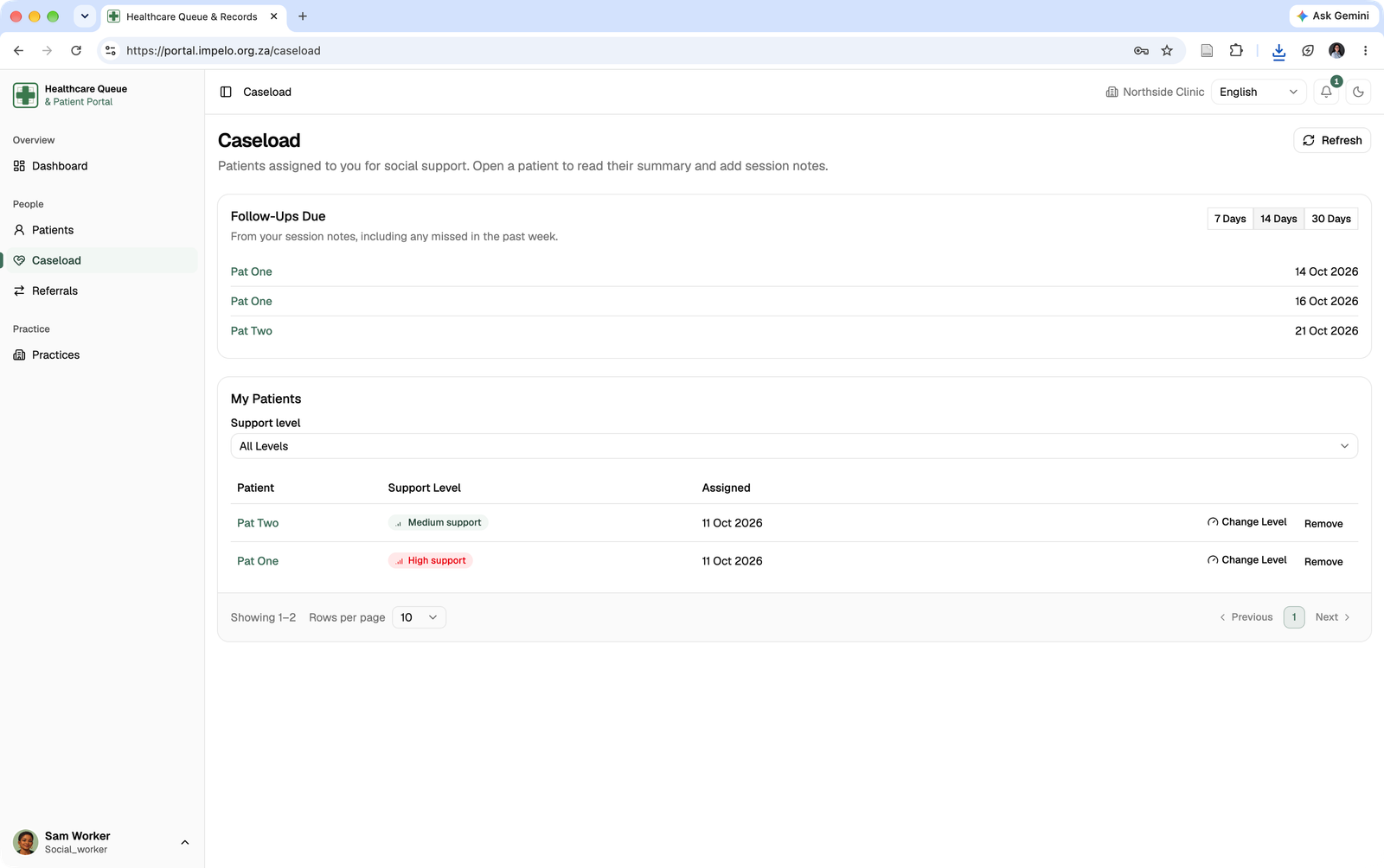
The practice side is more than a copy of the patient portal. Reception can find consented patients and assist with bookings or check-in. Clinicians manage appointment requests and schedules. Social workers have an assigned caseload and follow-ups.
 Open full-size screenshot ↗
The reception desk searches for patients who have shared their information with the practice before assisting with a visit.
 Open full-size screenshot ↗
A clinician can review appointment requests, proposed times and booked visits from a dedicated workspace.
 Open full-size screenshot ↗
The social work view separates assigned patients from follow-ups due, keeping continuing care visible.
( 06 ) - Platform oversight
The operational view includes accountability.
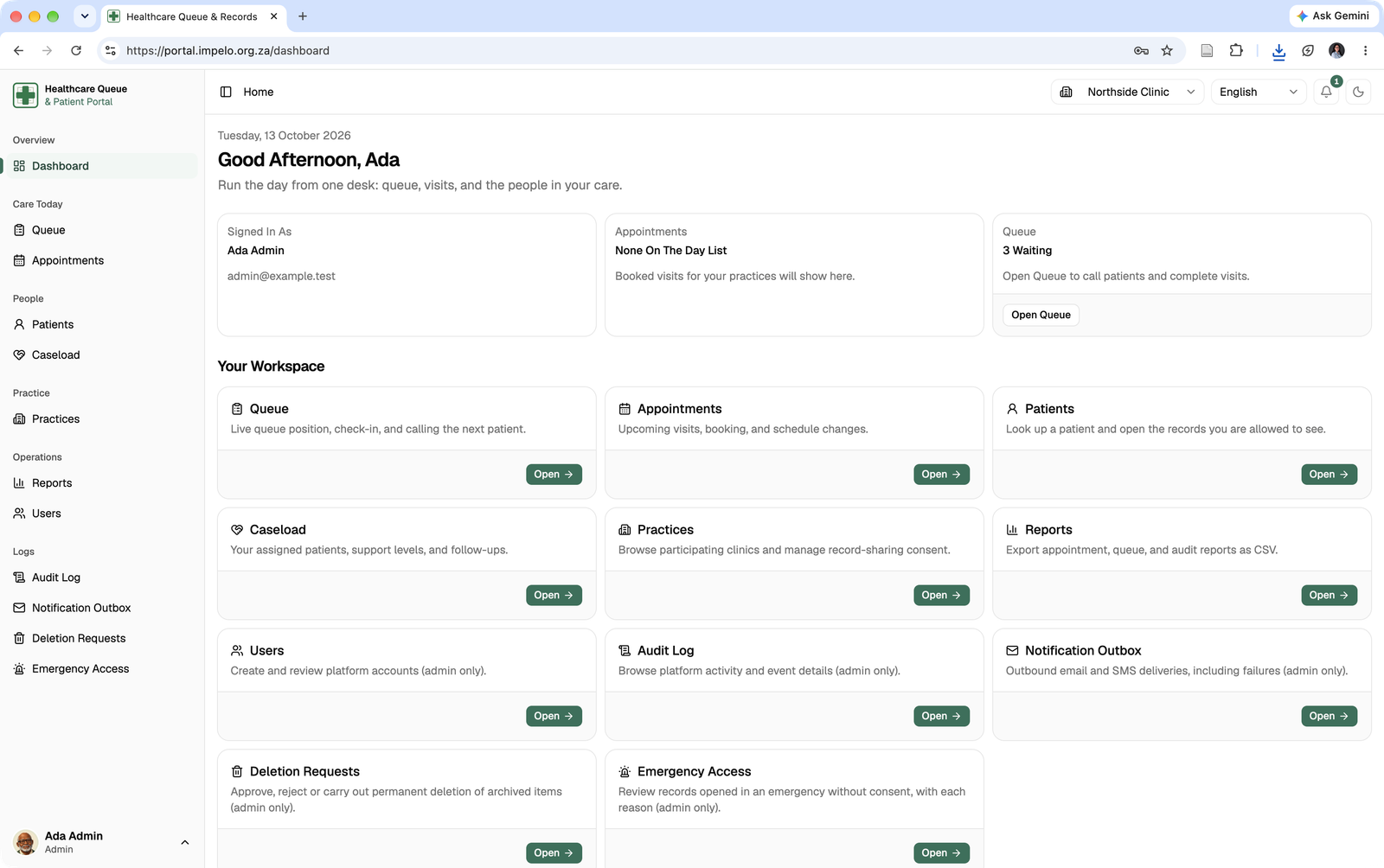
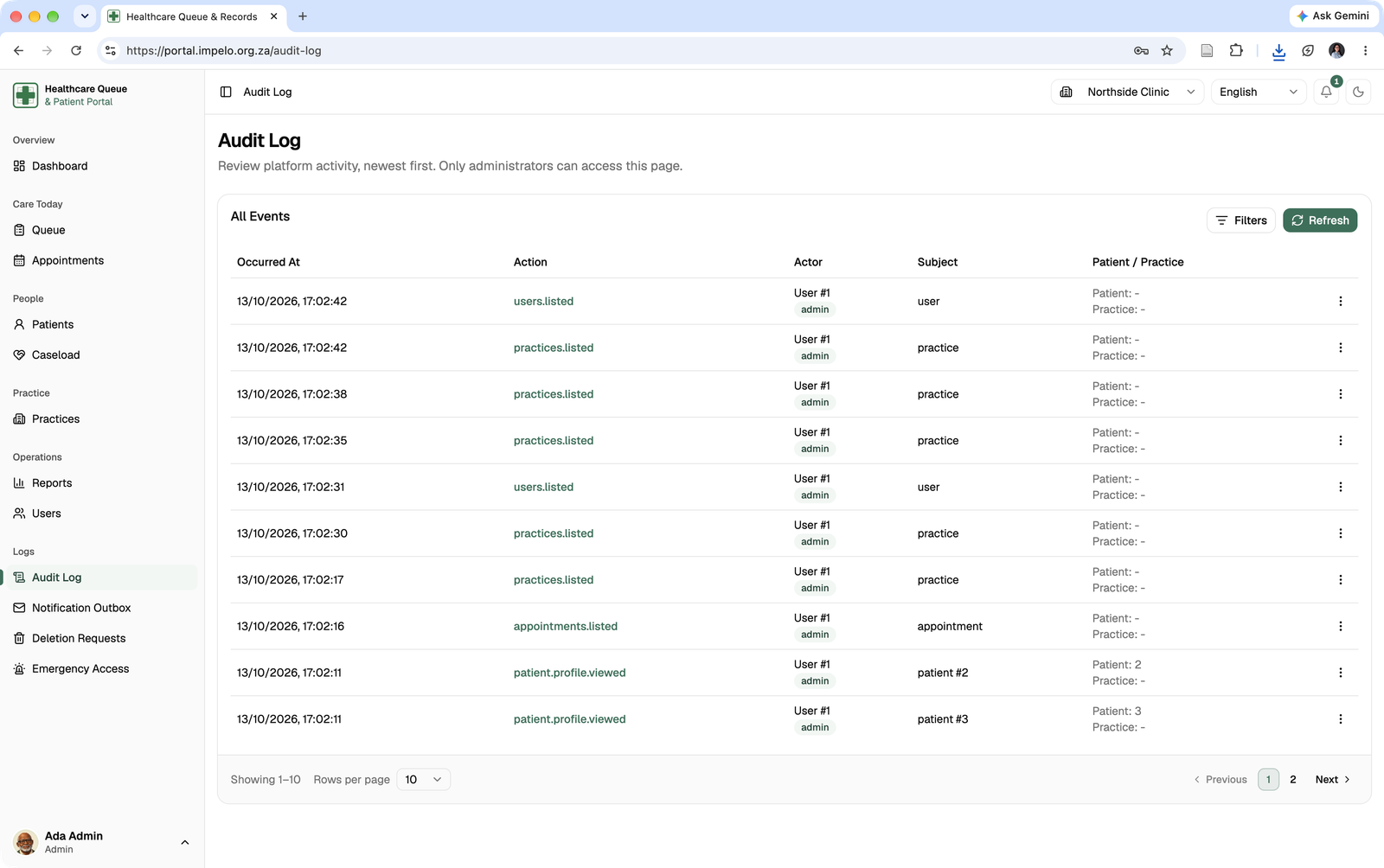
Administrative screens bring users, practice activity and audit events into view. These surfaces matter in a system that handles sensitive information: access should be scoped by role, and significant actions need a reviewable record.
 Open full-size screenshot ↗
The administrator dashboard provides an entry point to users, practice operations and platform controls.
 Open full-size screenshot ↗
The audit view lists when an action occurred, who performed it and which record or practice it concerned.
( 07 ) - Engineering decisions
The small decisions support the larger care journey.
Shared contracts, queue freshness and access to sensitive records shaped the implementation. These decisions help the different screens work together as one application.
Access Belongs on Both Sides
The portal changes navigation by role, while the API checks permissions on requests. Frontend route guards make the interface understandable; they are not the security boundary.
Queue Information Needs a Rhythm
The patient queue refreshes on an interval, pauses when the tab is hidden and can reuse an unchanged API response. That keeps the position useful without constant unnecessary work.
Consent Shapes Record Access
Sharing records across practices creates a permission problem. The project models patient consent, practice membership and audit history around access to clinical information.
Two Repositories Need One Contract
The Vue portal and PHP API are separate codebases. Typed services, a consistent response shape and clear error messages help the same workflow make sense on both sides.
How standard staff record access is decided.
Controls which practice may access their clinical records.
Requests clinical information while signed in to an active practice.
Role
May this staff role use the requested clinical action?
Practice
Does the person have an active membership at this practice?
Consent
Has the patient shared records with that practice?
The API returns the permitted clinical information and records the access.
The request is refused without returning the clinical record.
( 08 ) - My contribution
Work across the portal, API and public-facing concept.
I contributed across the university team's frontend and backend repositories, then built the separate public website prototype. The work crossed interface design, API behavior and the details needed to connect the two.
Portal Experience
My frontend work includes appointment forms, role-specific views, queue and practice workflows, notifications and clearer error states.
API and Integration
On the backend I worked on shared API behavior, queue and appointment capabilities, permission-aware clinical flows and the contracts the portal consumes.
Public Project Site
I built the separate Impelo website prototype, giving the university concept a public-facing explanation beyond the signed-in portal.
The result is a working university platform concept with connected patient, practice and administrative views. The screenshots on this page use demonstration accounts and sample data. They show implemented interfaces, not evidence of use in a clinical setting or a measured change in patient outcomes.
View the public project site